 Klip
Know what's happening in your restaurant, from anywhere.
Checklists, menu allergens and inventory in one place, for your whole team. Every answer, photo and sign-off is recorded.
Free for teams of up to 10.
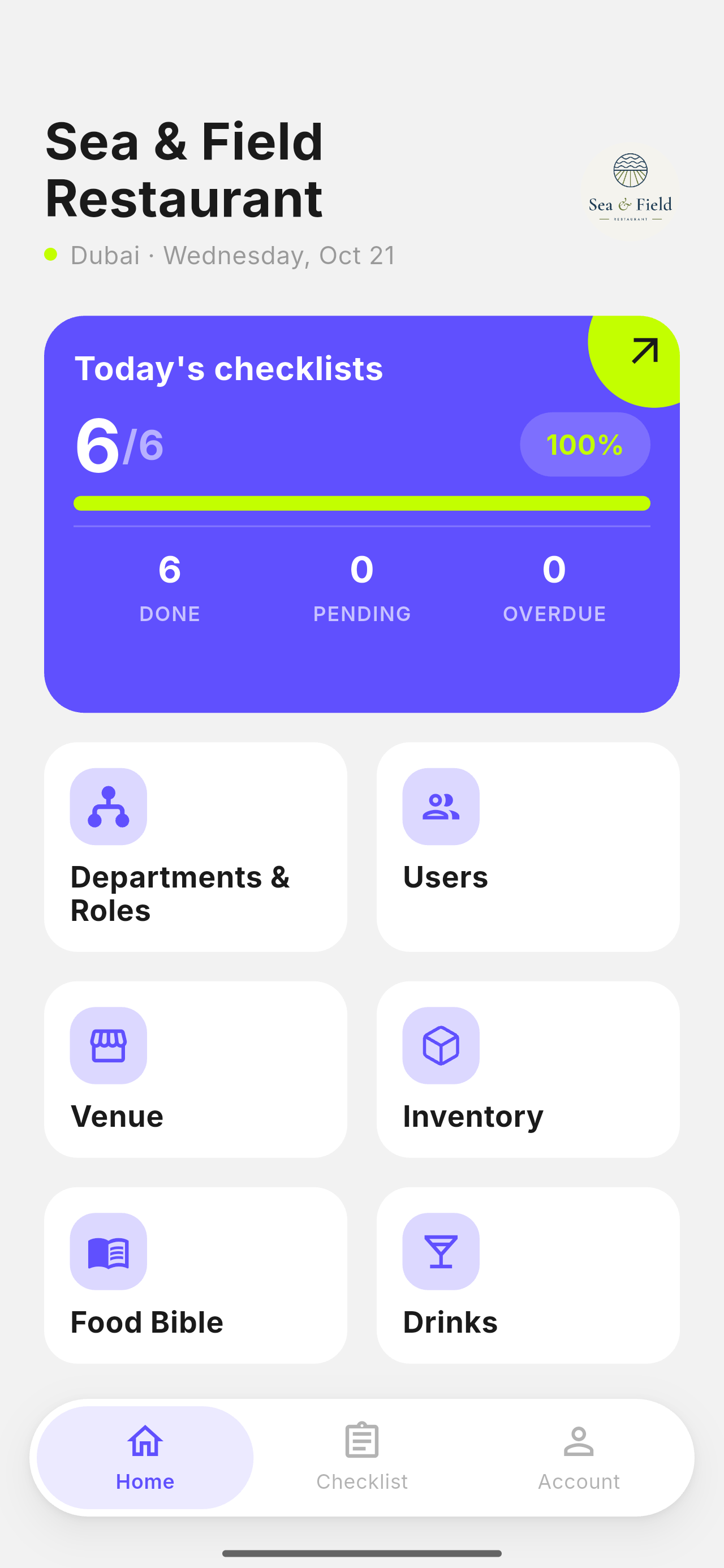
Built to bring order to restaurant operations.
Klip was born inside restaurant operations, out of the need to stop printing stacks of paper every week. Printed checklists are wasteful, hard to follow up and easy to lose, and there is no way to be sure the work was done right.
Klip was developed with input from staff and managers across the industry, so it adapts to the way each venue works, from a small café to a hotel with several departments. One app, one place for the whole team, and a clear view of what's happening in your restaurant, at any moment, wherever you are.
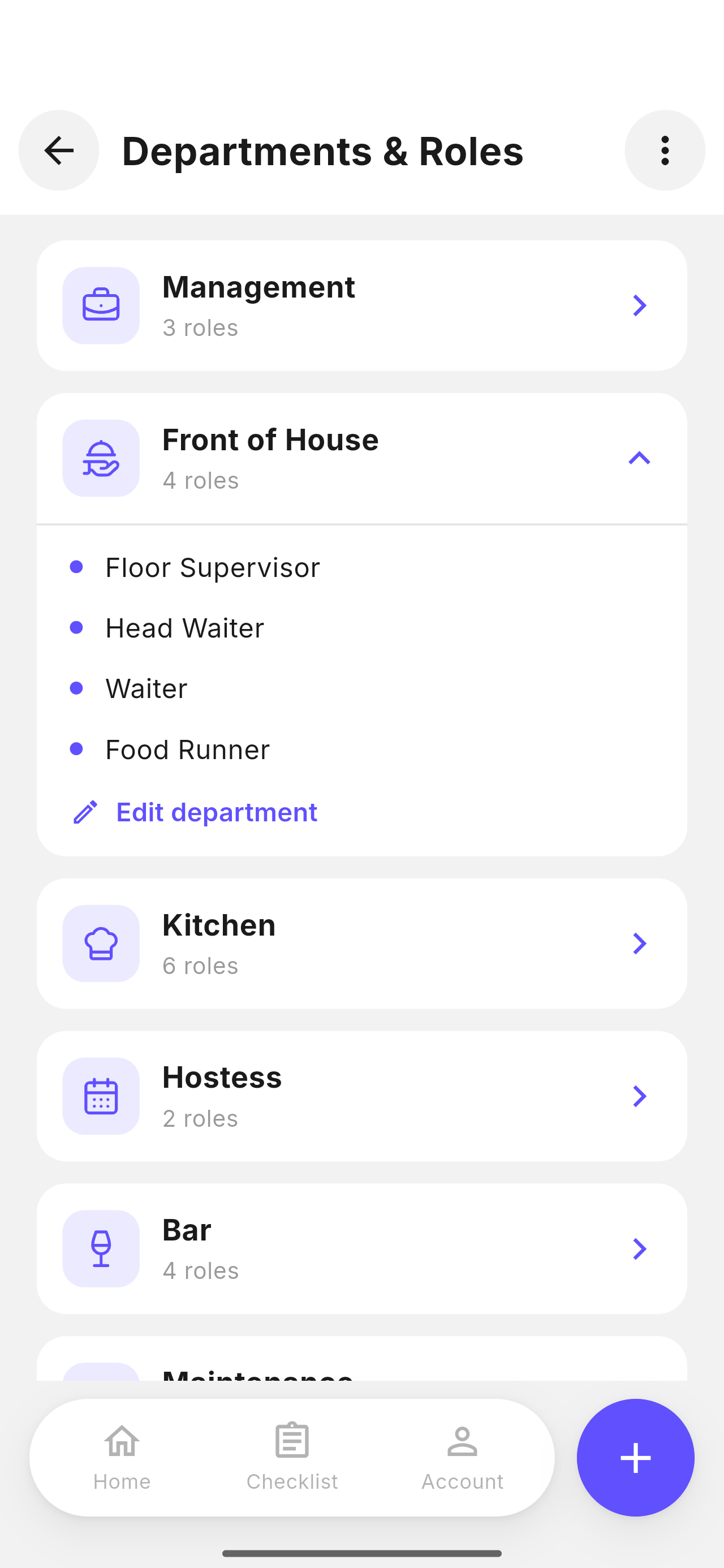
Organised by department
Create the departments and roles of your venue, such as Kitchen, Bar or Floor. Then assign checklists to an entire department or to specific team members, in a few taps.
Know when something is not up to standard
A reading outside its limits is flagged and needs a corrective action before the checklist can be submitted. The daily summary shows what needs attention.
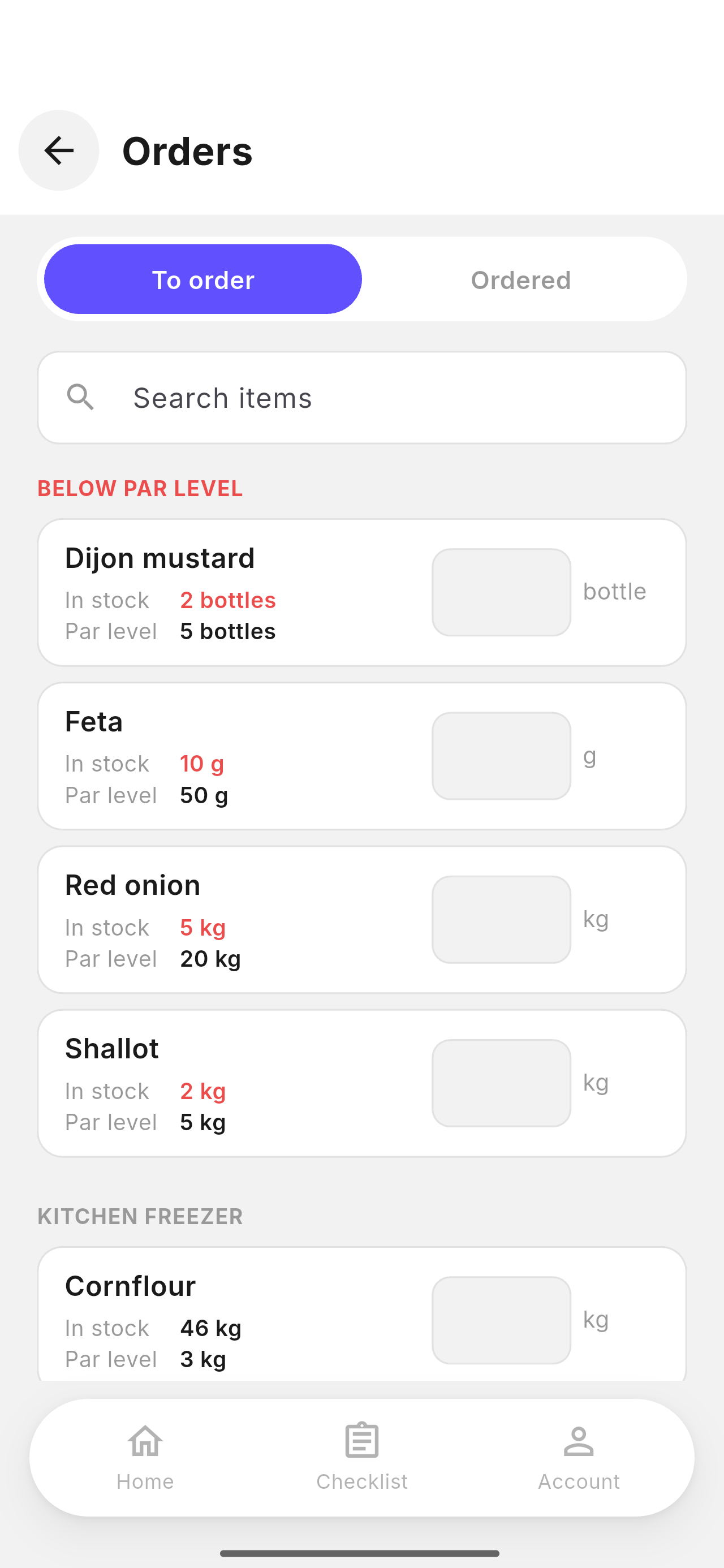
Inventory that tells you what to order
See which items are below their par level, all in one list.
Get started in three steps.
Set up your team
Departments, roles, and invite people by email with your venue code.
Create your checklists
Tasks, opening times, deadlines and who does them.
Follow every checklist
See what's done, late or missed, at any moment.
Every task asks for the right answer.
A tick is not enough for a fridge temperature. Each task records the kind of answer it needs, and the checklist can only be submitted when it is complete.
- Photos taken with the camera, never from the gallery
- Temperature in °C or °F, with a minimum and maximum
- A reading outside its limits needs a corrective action before the checklist can be submitted
- An opening time and an optional deadline. After the deadline the checklist locks; a manager can reopen it for one hour, and it is marked as late
- Checkbox, yes/no, number, text, date, time, photo and temperature. Tasks can be optional
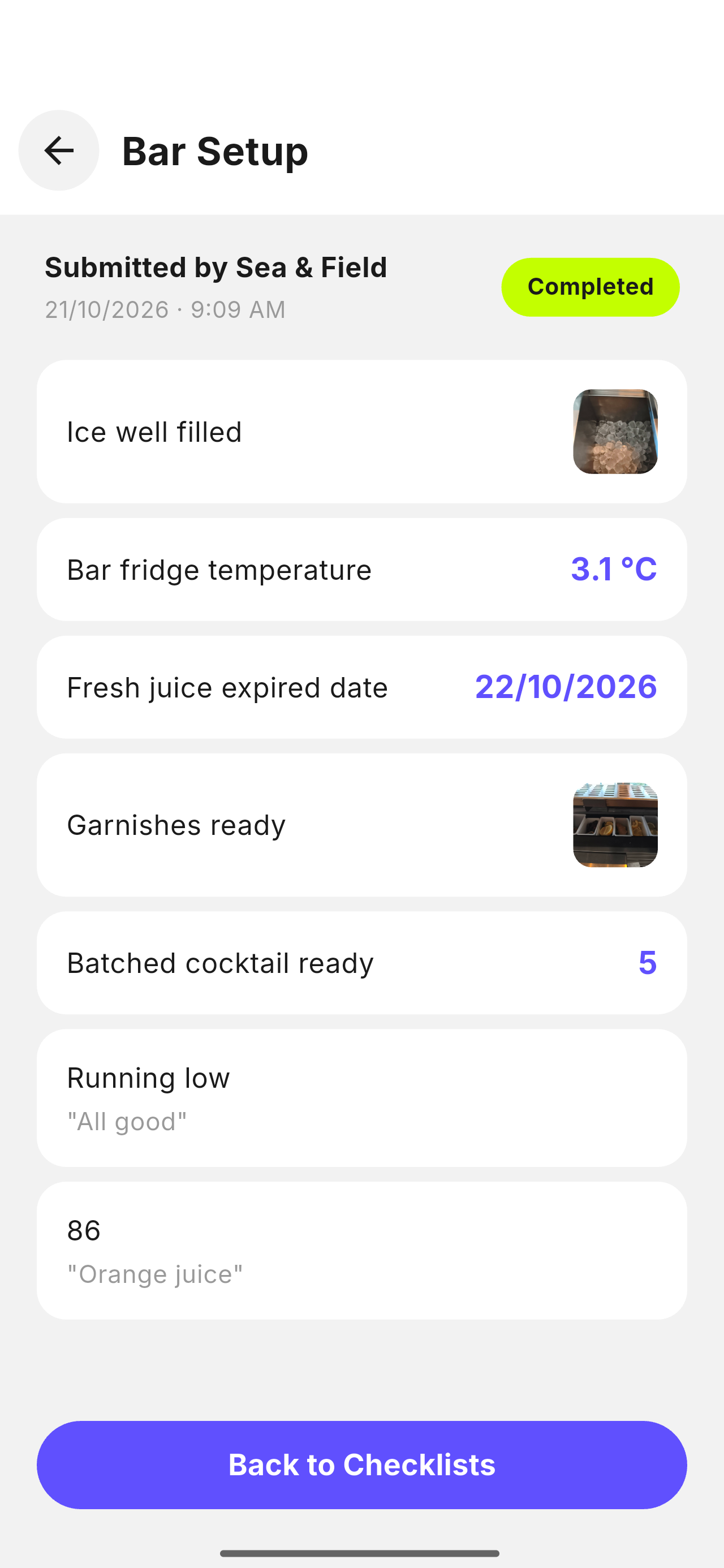
Every day on record.
Open any day and see exactly what happened, including what was missed.
- Who submitted each checklist, and when
- Photos, readings and corrective actions
- Late submissions shown in red
- Checklists that were never started, or left unfinished, are shown too
Saved as it happened
Answers, readings and late submissions are saved exactly as they happened. A missed checklist is shown, not hidden.
Each morning, managers can receive a summary of the previous day by email, with only the items that need attention, including late orders and items below their par level.
Clear roles for every person.
Choose a level of access for each person, from Staff to Admin. Each person has their own account.
- Departments and roles that match your venue
- Assign checklists to an entire department or to specific team members
- Invite your team by email with your venue code
- Staff who leave keep their account; your records stay with your venue
Four levels of access
Staff and Department Managers work within their own department. Venue Managers and Admins work across the whole venue.
| What they can do | StaffTheir department | Department ManagerTheir department | Venue ManagerWhole venue | AdminWhole venue |
|---|---|---|---|---|
| Complete their checklists | ||||
| Count stock and receive deliveries | ||||
| Create, edit and reopen checklists | — | |||
| Order stock | — | |||
| Adjust stock and move it between areas | — | |||
| Edit the Food Bible and Drinks Menu | — | |||
| Receive the daily summary by email | — | |||
| Invite and edit team members | — | Staff | Department Managers and Staff | Everyone |
| Set up departments, roles and inventory settings | — | — | ||
| Plan, billing, venue settings and Admins | — | — | — |
Everyone can view the Food Bible and the Drinks Menu.
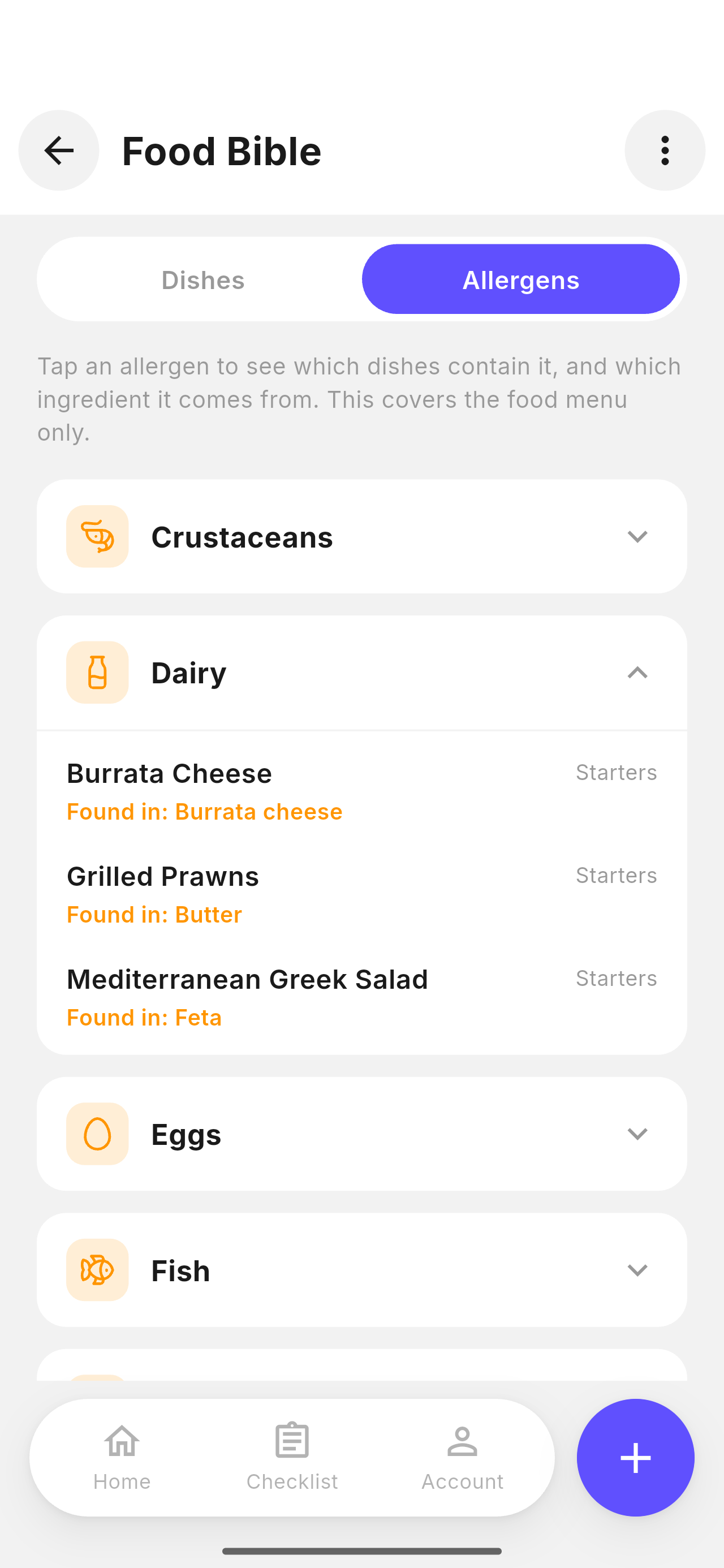
Answer every allergen question in seconds.
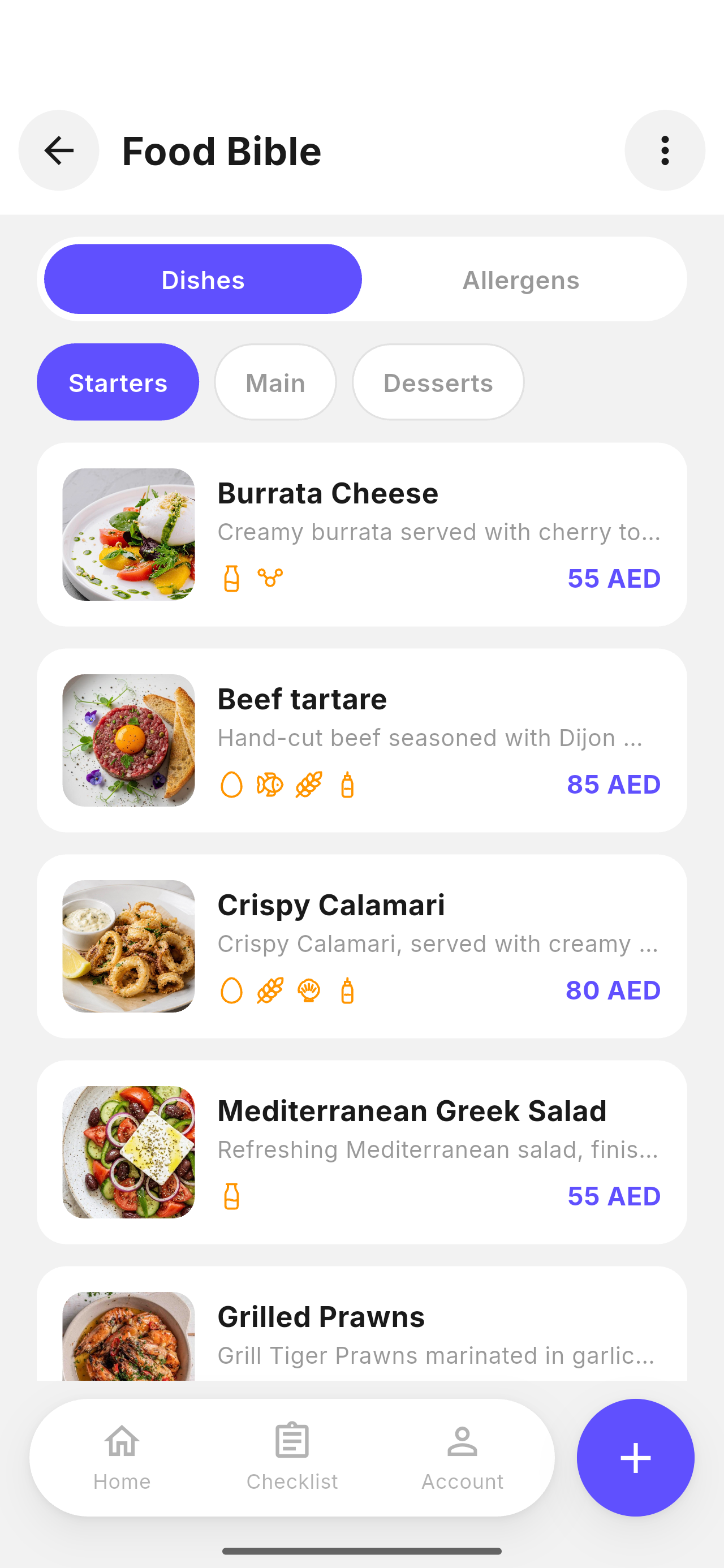
A guest has an allergy. Tap the allergen and see every dish that contains it, and the ingredient it comes from.
Mark an allergen once
On the ingredient, and every dish that uses it updates.
Recipes made in-house
Add a recipe such as pesto once, and its allergens reach every dish that uses it.
An icon for each allergen
The 14 allergens are easy to spot on every dish.
Food and drinks
Dishes, cocktails, mocktails and wine, with their ingredients.
Dietary notes
Alcohol and pork are shown separately from the 14 allergens.
Know what to order before you run out.
Set a par level for each item and Klip shows which ones are below it, all in one list to order.
- Set up in minutes: add items straight from your Food Bible or Drinks Menu, or add anything else, like napkins or gloves, with the stock you have now
- Count by storage area, with the date and the name of who counted. Up to three people can count the same area at once
- Orders and deliveries: a short delivery is easy to see (18 of 20 kg), and what is missing stays on the order until it arrives
- Return items to the supplier, and let the manager approve what arrived without an order
- Move stock between storage areas, and record losses with their reason: expired, damaged or a preparation error
- Late orders are marked in red, after the number of days you choose
- Each department counts and orders only in its own storage areas
- Changes appear for the whole team in seconds
What teams say
Every plan includes every feature.
Plans differ by the number of people and how long records are kept.
- Team members
- All accounts in your venue: admins, managers and staff.
- Admins
- People who can change the plan, billing and venue settings. Venue Managers are not counted.
- Records kept
- How long history is kept: checklists with their readings and sign-offs, and inventory counts, orders and deliveries.
- Photos kept
- How long checklist photos are kept.
Questions
Is there a free plan?
Yes, for teams of up to 10 people, with every feature.
Does everyone need their own account?
Yes. Each person has their own account, so every answer has a name.
Can a manager see other departments?
A Department Manager only sees the checklists and storage areas of their own department. Venue Managers and Admins see the whole venue.
Does it work on iPhone?
Android first. iPhone is coming soon.
What happens if a reading is out of range?
The checklist cannot be submitted until a corrective action is written.
Can someone tick a task without doing it?
Photos come only from the camera, readings are checked against limits, and every checklist records who signed it off and when.
How do I change my plan?
Contact us and we will change it for you.
Is my data private?
Each venue only sees its own data. Checklist photos are stored privately and deleted according to your plan.
Is Klip an official reporting tool?
No. Klip is where your team keeps its daily records and evidence. It does not replace any official reporting platform.
What languages does Klip support?
English for now.